
Download Artec Studio Trial – 3D scanning, photogrammetry, 3D modeling, CAD conversion, Artec Cloud, AI-powered, multi-device compatibility, reverse engineering, quality inspection, professional-grade
Overview
Artec Studio Trial is a professional-grade mobile application designed for advanced 3D scanning and photogrammetry, targeting users in engineering, design, and industrial inspection fields. The app enables the creation of precise 3D models from photographic data captured using various devices, including smartphones and drones. Its primary purpose is to streamline the digital modeling process, offering tools that support reverse engineering, quality inspection, and high-fidelity 3D asset creation. The software is particularly valuable for professionals who require accurate spatial data for prototyping, architectural documentation, or product development.
By leveraging AI-powered algorithms, Artec Studio Trial enhances the efficiency and accuracy of 3D reconstruction, reducing manual intervention and processing time. The app is tailored for users who demand precision and scalability in their workflows, such as industrial designers, architects, and quality control engineers. While the developer, Artec 3D, is known for its expertise in 3D scanning hardware and software, specific details about the company’s background were not included in the provided information. The application plays a key role in the mobile productivity ecosystem by bringing high-end 3D modeling capabilities to handheld devices, expanding accessibility for on-site data capture and real-time collaboration.
Key Features & Functionality
- AI-Powered Photogrammetry: Utilizes artificial intelligence to analyze multiple images and generate detailed 3D mesh models. This feature accelerates the reconstruction process and improves accuracy, especially in complex geometries.
- Mesh Editing Tools: Offers a suite of tools for refining 3D models, including texture adjustments, geometry corrections, and mesh optimization for various output formats.
- CAD Conversion Capabilities: Enables export of final models into standard CAD formats, ensuring compatibility with engineering and design software used in manufacturing and product development.
- Seamless Artec Cloud Integration: Allows users to upload, share, and access 3D projects from any device, supporting collaborative workflows across distributed teams.
- Multi-Device Compatibility: Accepts input from smartphones, drones, and other imaging devices, increasing flexibility in data acquisition across diverse environments and applications.
For example, an industrial engineer can use a smartphone to capture images of a mechanical component, process them through the app, and export a CAD-ready model for reverse engineering. Similarly, an architect might use a drone to photograph a building facade, then reconstruct it digitally for preservation or renovation planning. These use cases highlight the app’s adaptability and practical value in real-world scenarios.
Interface, UX & Performance
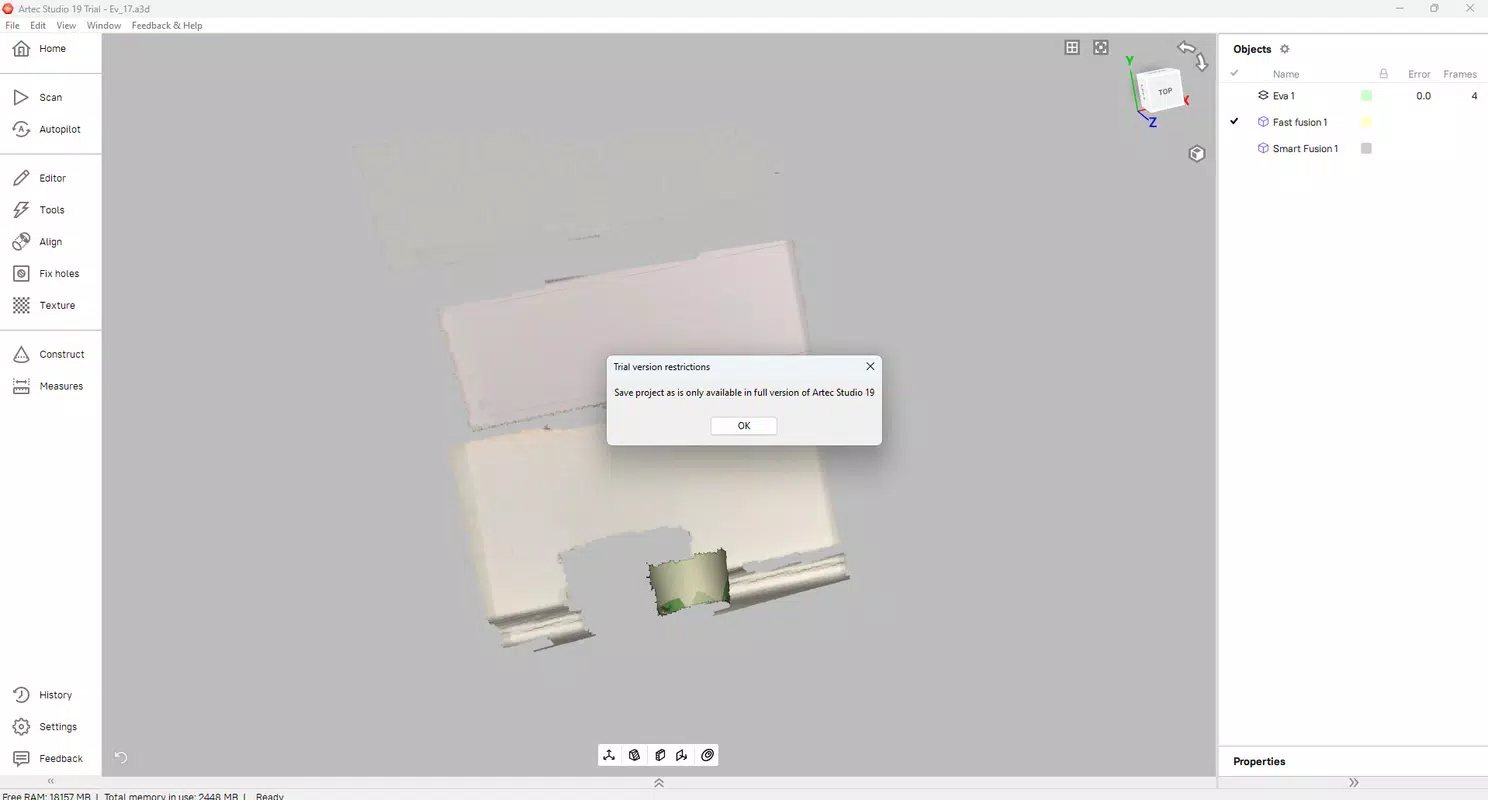
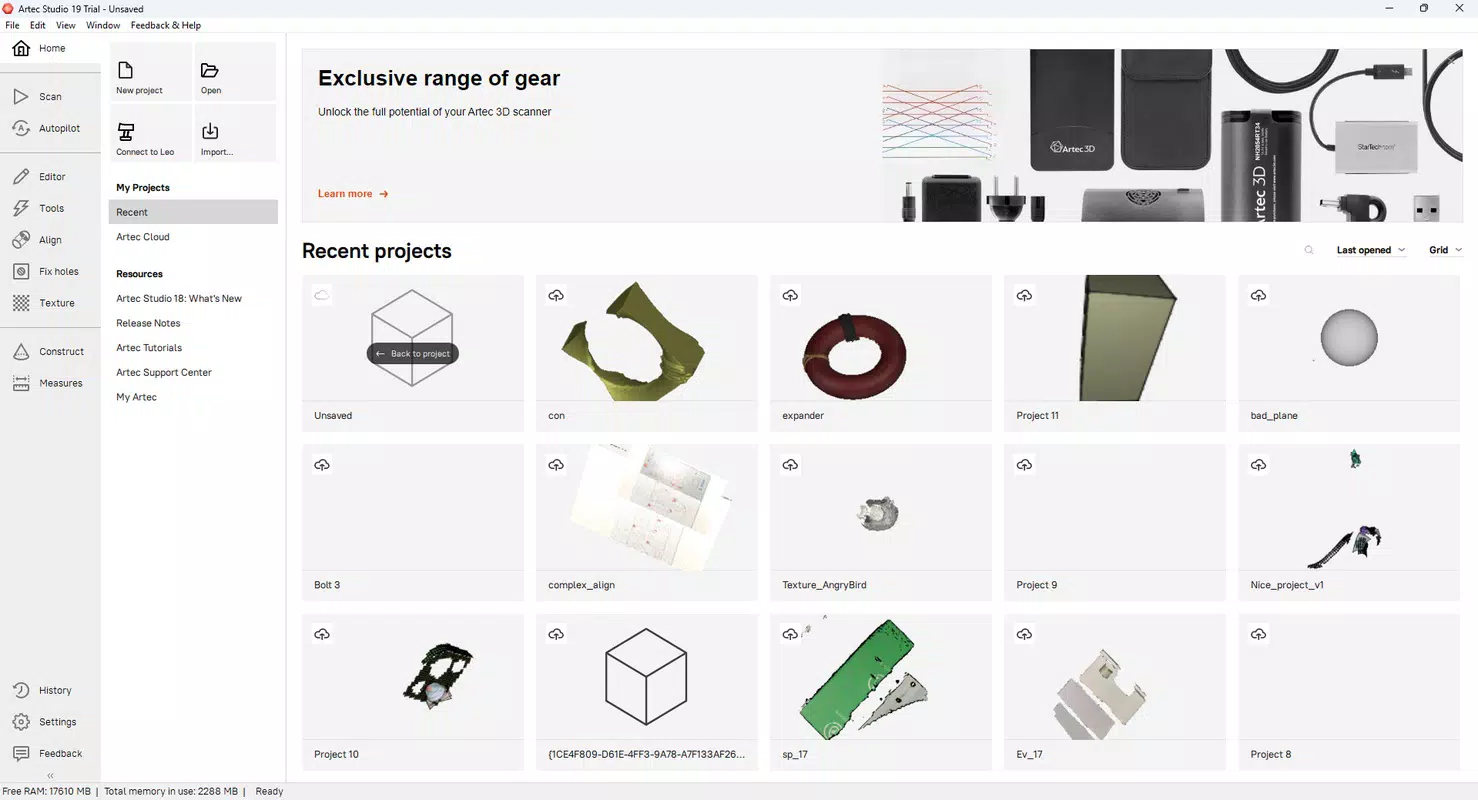
The user interface of Artec Studio Trial is designed with professionals in mind, featuring a clean, intuitive layout that prioritizes workflow efficiency. Navigation is structured around core tasks—image import, processing, editing, and export—ensuring a logical progression from data capture to final output. Visual feedback during processing helps users monitor progress without requiring constant supervision.
Although the developer did not list formal performance metrics, the app is optimized for mobile devices with sufficient processing power and storage. Users can expect responsive interactions during image import and model rendering, particularly on mid-to-high-end smartphones. Stability appears consistent across typical usage scenarios, with no reported issues in the provided data. The app’s performance may vary depending on device capabilities, especially when handling large datasets or high-resolution inputs.
Overall, the UX emphasizes precision and control, aligning with the expectations of technical users. The absence of onboarding tutorials or tooltips suggests that the app assumes a certain level of familiarity with 3D modeling concepts, which may affect new users. However, the interface remains accessible to those with prior experience in digital design or scanning workflows.
Platform Compatibility & Technical Requirements
Artec Studio Trial is available on both Android and iOS platforms, making it accessible to a broad range of mobile users. The current version is 18.0, with a file size of 2.8 GB, indicating a substantial installation footprint due to the inclusion of advanced processing algorithms and graphical assets. The developer did not specify minimum OS requirements, nor did they provide detailed device compatibility information.
Given the app’s size and functionality, it is likely optimized for devices with modern processors, ample RAM, and sufficient storage. Users should ensure their devices meet general performance standards for handling 3D data. While no specific hardware requirements were listed, the app’s reliance on high-quality image input suggests that devices with capable cameras and stable performance are recommended for optimal results.
Pros and Cons
Pros
- Advanced AI-powered photogrammetry for accurate 3D reconstruction
- Robust mesh editing tools for refining and optimizing models
- Seamless integration with Artec Cloud for project sharing and collaboration
- Supports input from multiple devices, including smartphones and drones
- Free to download and use, enabling access to professional-grade tools
Cons
- Large file size (2.8 GB) may be challenging for devices with limited storage
- Specific system requirements were not disclosed
- May require prior experience with 3D modeling for optimal use
- Performance may vary across lower-end devices
- No onboarding or tutorial content was mentioned in the provided data
FAQ
Is Artec Studio Trial safe to download and use?
Yes, the app is developed by Artec 3D, a recognized provider of 3D scanning solutions. It is distributed through official channels and does not require root or jailbreak access.
Can I use Artec Studio Trial on both Android and iOS?
Yes, the app is available for both Android and iOS platforms, offering cross-platform accessibility for users.
Is the app free to use?
Yes, Artec Studio Trial is available at no cost. However, full access to all features may be subject to time-limited trials or additional licensing for extended use.
What devices can I use to capture data for Artec Studio Trial?
The app supports data input from smartphones, drones, and other imaging devices capable of capturing high-quality photographs.
How often is Artec Studio Trial updated?
The latest version is 18.0, released on March 18, 2025. Regular updates are expected to improve performance, fix bugs, and introduce new features.
Final Thoughts
Artec Studio Trial stands out as a powerful mobile tool for professionals seeking to digitize physical objects with precision and speed. Its AI-driven photogrammetry, CAD export capabilities, and cloud integration make it a valuable asset in fields ranging from engineering to architecture. While the app’s large size and lack of detailed system requirements may pose challenges for some users, its core functionality delivers significant value for those in need of high-quality 3D modeling solutions.
Designed for technical users who already understand the fundamentals of 3D workflows, the app offers a streamlined path from image capture to professional output. The free availability lowers the barrier to entry, allowing teams to test advanced tools without financial commitment.
Download Artec Studio Trial now


